 UrCartBuddy
Start free trial
UrCartBuddy
Start free trialMagic Sort
Your list, in the order you shop.
Magic Sort starts with categories, then learns from how you arrange this list and archive eligible completed shops. Give it time to learn your route.
30 days free. No card required to start. Then £1.99/month if you choose to continue.
iPhone/iPad: open the web app in Safari, then Share → Add to Home Screen. Installation instructions. Computer: use any browser; optionally install from Chrome or Edge. Android app: currently in closed testing. Use your browser to start today.
Start with useful groups
Unfamiliar items are categorised with AI when needed, giving the list a starting order. Magic Sort is on for new lists; you can change it in List settings.
Arrange your route
Drag items into the order you walk round the shop. Manual arrangement gives Magic Sort the guidance it needs; it does not know your supermarket's floor plan.
Archive after shopping
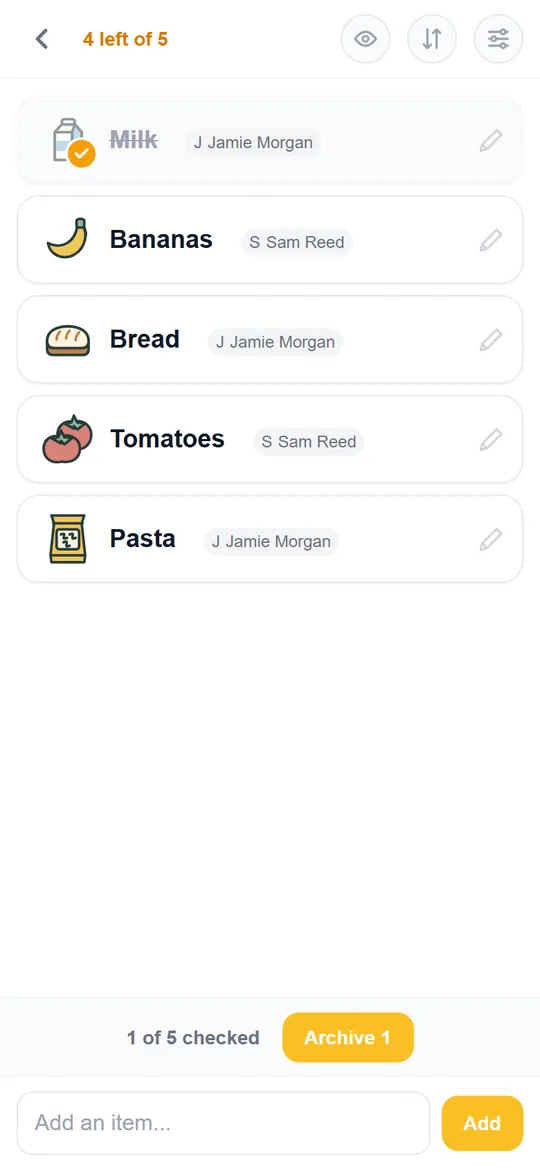
Tick items as you shop, then archive your checked items at the end. Eligible completed shops and manual arrangement help the order get closer to your route.
Keep shopping history while clearing bought items from the active list.
Watch the next shop take shape
See items find their place, lettuce move to the top and checked items get archived. The film uses the native Android app, which is currently in closed testing.
You can arrange, tick and archive lists in your browser today. Keep your list one tap away.
Transcript and visual description
0:00 Your next shopping list. Shaped by your previous trips.
0:04 Magic Sort helps put your list in the order you shop.
0:09 Add what you need. Watch it find its place!
0:15 If you reach the lettuce first, drag it to the top of your list.
0:23 Now, when you are in the shop, check things off as you go.
0:29 Finished shopping? Archive your checked items.
0:33 Your saved list order and adjustments help Magic Sort learn for next time.
0:40 Ready for your next shop! UrCartBuddy dot com.
Upbeat instrumental music plays. The Android Weekly Shop list appears. Items are added and take their place in the list. Lettuce is dragged to the top. In the shop, items are ticked; Archive removes checked items from the active list while keeping shopping history. The saved order and adjustments are illustrated as learning for future trips. The film ends with UrCartBuddy.com. These are genuine app captures.
Music: Funkorama by Kevin MacLeod, CC BY 4.0. Excerpt edited, level adjusted and faded.
Learning from this list, at your pace
Drag items into the order you walk round the shop, then archive when you've finished. Magic Sort learns from both. A list that has never been arranged by hand stays with its category starting order.
Learning belongs to the list. If you use the same list in different shops, the order reflects those trips together. There is no fixed number of shops that guarantees your preferred order.
You can archive in one go or as you shop. Nearby archives are grouped into trips, so archiving in several batches can teach the order of one shop. A trip containing only one item does not change the learned order.
Magic Sort's AI features use the separate AI allowance. Manual changes and ticking keep working with valid list access when that allowance is exhausted. Read the usage limits.
Common questions
Does it know every supermarket's aisles?
No. Magic Sort starts with categories and learns from manual arrangement and eligible completed shops on this list. It does not use a fixed map of your supermarket.
How long does learning take?
It needs an initial learning period. The order improves as you arrange the list and archive eligible shops; there is no guaranteed number of trips.
Can I still move items myself?
Yes. Manual reordering is part of teaching Magic Sort your preferred route. With valid edit access, you can arrange items whenever you need to.
Where do I turn it on or off?
Open List settings. Magic Sort is on for new lists. Owners and editors can change it; viewers cannot. Turning it on uses the AI allowance, while turning it off does not need AI allowance. After turning it back on, drag an item again so future archived shops can teach it.
Does archiving delete my history?
No. Archive clears checked items from the active list and preserves shopping history. Deleting items is a separate action.
30-day free trial and household pricing · Bring ingredients in from a recipe · Explore the AI features
Make room for a smoother next shop.
30 days free. No card required to start. Then £1.99/month if you choose to continue.
iPhone/iPad: open the web app in Safari, then Share → Add to Home Screen. Installation instructions. Computer: use any browser; optionally install from Chrome or Edge. Android app: currently in closed testing. Use your browser to start today.