
1. Create your list
Start a list for the weekly shop, a holiday or whatever you need. Keep your household's shopping together.
 UrCartBuddy
Start free trial
UrCartBuddy
Start free trialShared shopping list for UK households
Add from WhatsApp, a photo, a recipe link or your voice. Everyone sees the same list in their browser, or the Android app in closed testing, with live updates while connected.
30 days free. No card required to start. Then £1.99/month if you choose to continue.
iPhone/iPad: open the web app in Safari, then Share → Add to Home Screen. Installation instructions. Computer: use any browser; optionally install from Chrome or Edge. Android app: currently in closed testing. Use your browser to start today.
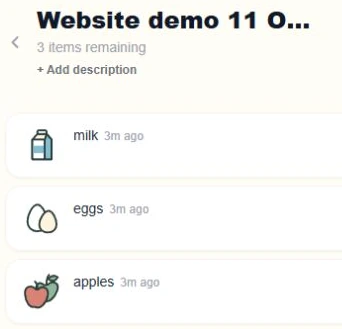
Once your number is connected, send shopping items to UrCartBuddy in a one-to-one WhatsApp chat, for a list you can edit. Here is a real demonstration on our own account, using a separate Website demo list.
“Add milk, eggs and apples to Website demo 11 October”
Name a list as shown, or omit its name to use your active or default list.
UrCartBuddy confirmed this addition with a 👍 reaction, rather than a text reply.
Successful, unambiguous typed adds can receive a thumbs-up. A quick typed add can instead receive a text reply if a reaction cannot be used.
Milk, eggs and apples are on Website demo 11 October in UrCartBuddy.
Send a photo, a recipe link or a voice message too. See how to connect WhatsApp or explore imports, voice and Chat.
Quick typed adds confirmed with 👍 don't use your WhatsApp reply allowance. When the reply allowance runs out, WhatsApp actions covered by that owner pause, including quick adds, until the first of the month (UK time). Interpreting WhatsApp messages can use the separate AI allowance. Chat and Telegram don't use the WhatsApp reply allowance, but their AI features use the separate AI allowance. AI used on shared lists counts against the list owners' allowances. Read the usage limits.
UrCartBuddy is independent and is not endorsed by WhatsApp or Meta.
Start a list for the weekly shop, a holiday or whatever you need. Keep your household's shopping together.
Share your list and choose who can edit it. Members use the list owner's active trial or plan, with shared allowances.
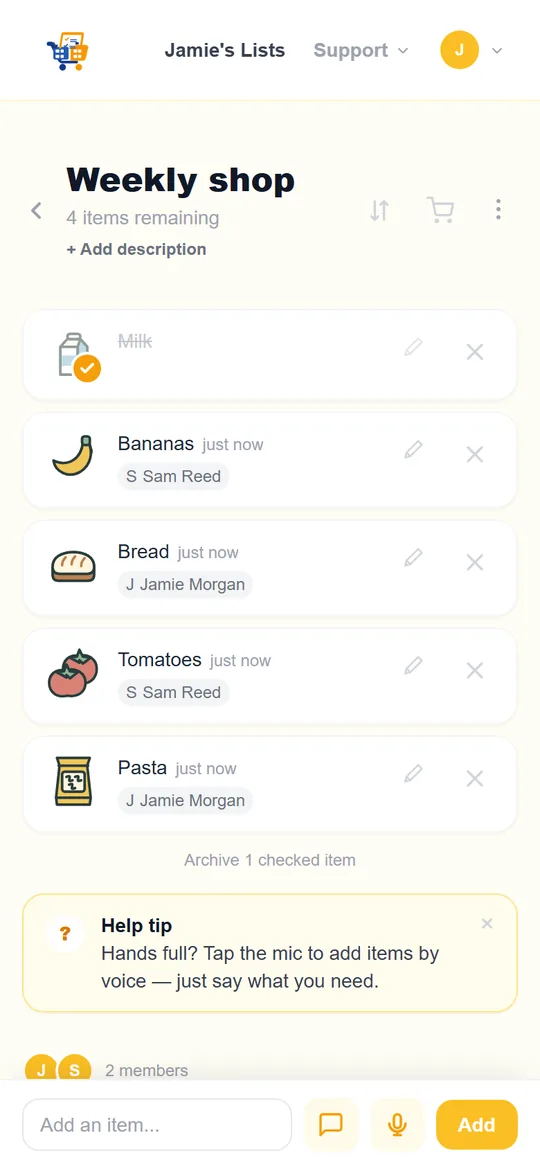
Additions and ticks sync while connected. Switch to in-store mode for bigger text and easy ticking.
In-store mode gives your list room to breathe, with larger text and ticks that stay visible. The browser app can show recently opened lists from its saved copy and queue additions and ticks until it reconnects. Open your list online before heading to the shop.
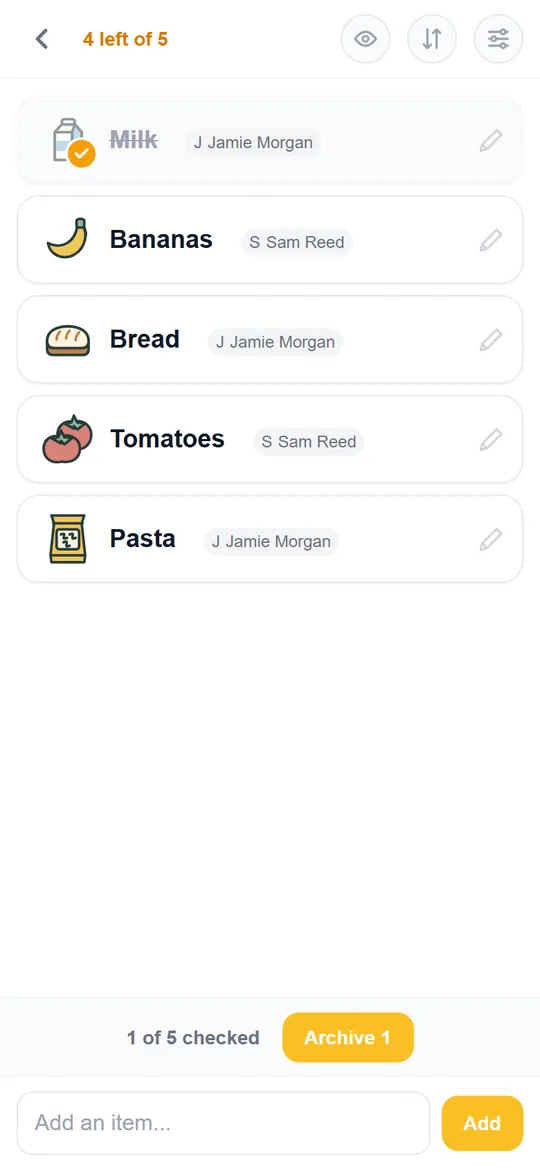
Watch items find their place, adjust the order and archive your finished shop. Magic Sort learns from manual arrangement and eligible completed shops; give it time to learn your route.
The native Android app is in closed testing. You can use UrCartBuddy in your browser today. How Magic Sort learns your order.
0:00 Your next shopping list. Shaped by your previous trips.
0:04 Magic Sort helps put your list in the order you shop.
0:09 Add what you need. Watch it find its place!
0:15 If you reach the lettuce first, drag it to the top of your list.
0:23 Now, when you are in the shop, check things off as you go.
0:29 Finished shopping? Archive your checked items.
0:33 Your saved list order and adjustments help Magic Sort learn for next time.
0:40 Ready for your next shop! UrCartBuddy dot com.
Upbeat instrumental music plays. The Android Weekly Shop list appears. Items are added and take their place in the list. Lettuce is dragged to the top. In the shop, items are ticked; Archive removes checked items from the active list while keeping shopping history. The saved order and adjustments are illustrated as learning for future trips. The film ends with UrCartBuddy.com. These are genuine app captures.
Music: Funkorama by Kevin MacLeod, CC BY 4.0. Excerpt edited, level adjusted and faded.
Invite anyone to your lists — they add, tick and shop on your plan at no extra cost.
They only need their own plan to create lists of their own.
Owners and editors can change a list; viewers have read-only access. The list owner's trial or plan must be active for covered members to add, tick and shop.
AI and WhatsApp reply allowances are shared across covered members. Read the usage limits.
£1.99/month
30 days free. No card required to start. Then £1.99/month if you choose to continue.
iPhone/iPad: open the web app in Safari, then Share → Add to Home Screen. Installation instructions. Computer: use any browser; optionally install from Chrome or Edge. Android app: currently in closed testing. Use your browser to start today.
Yes. Use your browser on iPhone, iPad or computer. The native Android app is currently in closed testing. Connected members see the same list.
One subscription covers your household. Invite anyone to your lists — they add, tick and shop on your plan at no extra cost. They only need their own plan to create lists of their own. Owners and editors can change a list; viewers have read-only access. The list owner's trial or plan must be active for covered members to add, tick and shop.
No card is required to start. The trial does not automatically become a paid subscription. You choose whether to subscribe afterwards.
No. WhatsApp text replies and AI features have separate monthly allowances shared across covered members. Chat and Telegram use the AI allowance. Read Usage limits for the details.
Archive checked items to clear them from the active list while keeping shopping history. Eligible completed shops and manual arrangement help Magic Sort learn your order.
UrCartBuddy is built by Binary Components Limited to keep the things a household needs in one place. It is in early access, with no adverts. We welcome practical feedback through Contact.
30 days free. No card required to start. Then £1.99/month if you choose to continue.
iPhone/iPad: open the web app in Safari, then Share → Add to Home Screen. Installation instructions. Computer: use any browser; optionally install from Chrome or Edge. Android app: currently in closed testing. Use your browser to start today.